What is a Workspace in Qualz.ai?
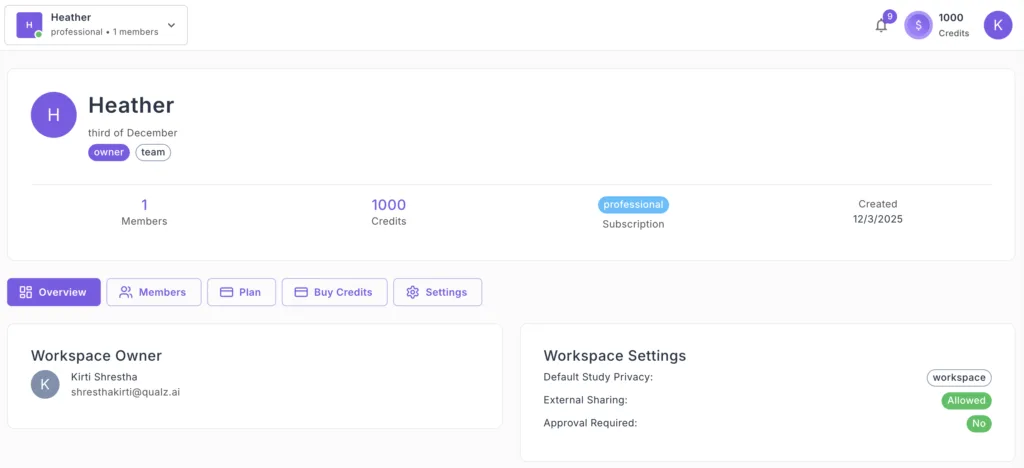
A workspace is a dedicated, secure environment in Qualz.ai where your research projects, data, files, and team members are organized and managed in one place. Workspaces let you collaborate efficiently, control access, and keep separate clients, teams, or studies cleanly isolated.
Each workspace operates independently with its own:
- Entitlements – Allocations for AI Interviews, AI Participant Responses, Analysis Units, Transcription Uploads, member seats, and AI participant personas (see the Entitlements docs).
- Members & Roles – Team members with specific permissions
- Research Assets – Studies, surveys, interviews, AI participants, and analyses
Why Workspaces Matter
Workspaces solve research-organization problems that file-based approaches can't. They keep work organized, secure, and easy to collaborate on, and they give you clear boundaries between different clients, teams, or initiatives.
Complete Data Isolation
Each workspace maintains absolute separation from others:
- No data leakage between clients or projects
- Independent privacy and security boundaries per workspace
- Clean professional handling of confidential data
Example: Your healthcare client's workspace stays fully separate from your retail client's research.
Organized Team Collaboration
Workspaces give precise control over research access:
- Invite specific team members per project
- Assign role-based permissions (Owner, Admin, Member, Guest)
- Control who sees what research data
Independent Entitlement Management
Each workspace has its own pool of entitlements:
- Clear usage tracking per client or project
- Separate allocations for different initiatives
- Transparent cost allocation across teams
Scalable Research Operations
Workspaces grow with your research needs — add seats, expand entitlements, or add more workspaces as your team and project portfolio grow.
What Makes Up a Workspace?
Every workspace in Qualz.ai contains a few core components:
1. Research Assets
Your actual research work lives here:
Dynamic Surveys — AI-assisted or manually designed surveys, multi-language support, structured + open-ended responses.
Interviews — AI-moderated voice and chat interviews, manual transcript uploads (audio, video, or text), real-time or asynchronous sessions.
Analysis Tools — Multi-Lens Analysis (Jobs-to-be-Done, Narrative Arc, Phenomenological Essence, Customer Journey, Thematic Analysis, and more), plus survey analytics.
2. Entitlements
Your workspace's allocations for activities such as AI interviews, AI participant responses, transcription uploads, and analysis units. Entitlements are workspace-scoped — they don't transfer between workspaces. See What are Entitlements? for details.
3. Members & Roles
People with access to the workspace:
- Owner – Full control, including billing and workspace deletion
- Admin – Settings and member management, no billing
- Member – Creates and analyzes research; cannot manage settings or billing
- Guest – View-only access for stakeholders
Members can belong to multiple workspaces with different roles in each.
4. AI Participants
Workspace-specific AI personas for synthetic research — demographic profiles, behavioral patterns, survey/interview validation, and pilot testing.
Plans
Qualz.ai workspaces are available on Teams and Enterprise plans, sized to your research footprint and team. Specific entitlement allocations, seat limits, and feature scopes are set per workspace by your account representative — talk to your rep or contact sales to map a plan to your needs.
For details on how usage is tracked and replenished, see the Entitlements documentation.