UserInterviews Integration
Integrate UserInterviews with Qualz.ai
This guide walks you through connecting UserInterviews with Qualz.ai to track participant progress and automate completion workflows.
Prerequisite: Familiarize yourself with our Tracker ID & Panel Integration Guide to understand how panel integration works in Qualz.ai.
Step 1: Create Your Studies
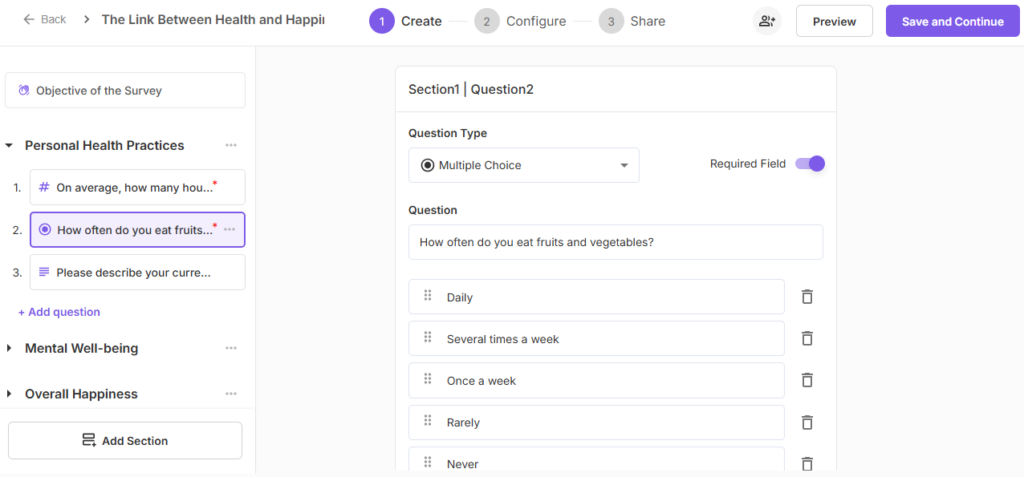
On Qualz.ai:
- Log in to the Qualz.ai Dashboard
- Create a new study (dynamic survey or interview) or select an existing one
- Fill out the required details (title, description, etc.)
On UserInterviews:
- Log in to userinterviews.com (create an account as a researcher if you don't have one)
- Navigate to the Projects section
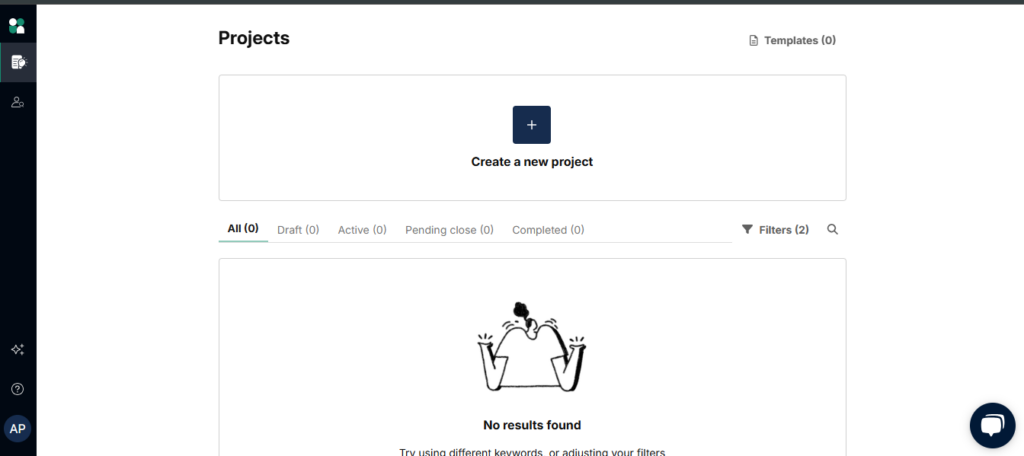
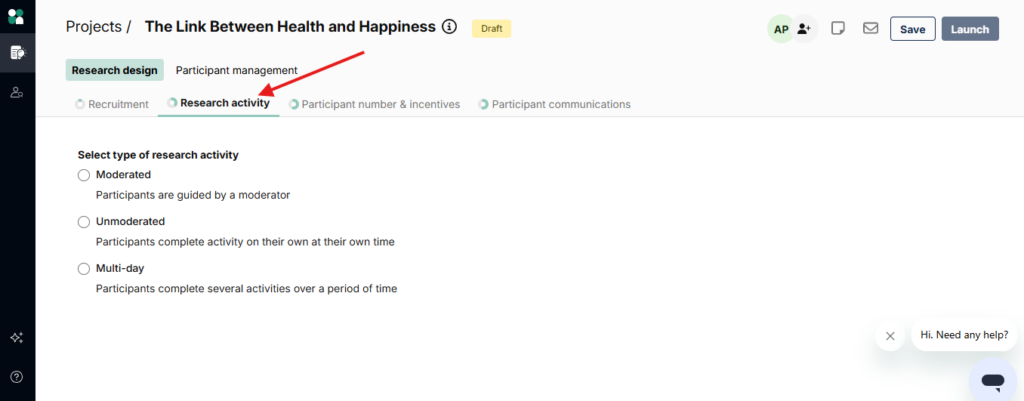
- Create or edit a project, then navigate to the Research activity section
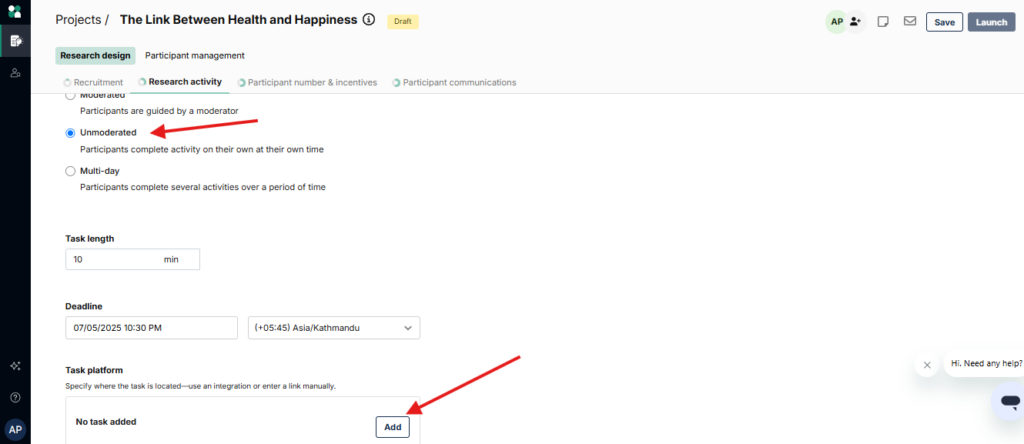
- Select Unmoderated, then click Add under the Task Platform section
- Choose Tracked Customer Link and paste your Qualz.ai study URL
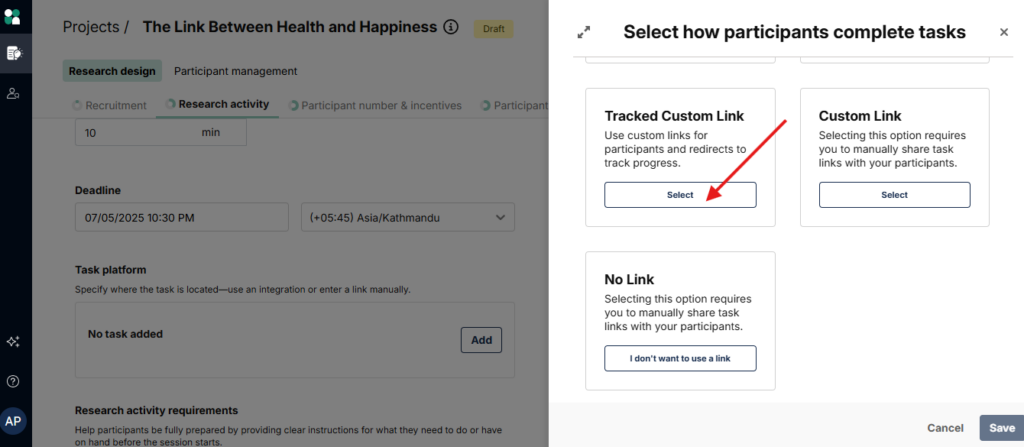
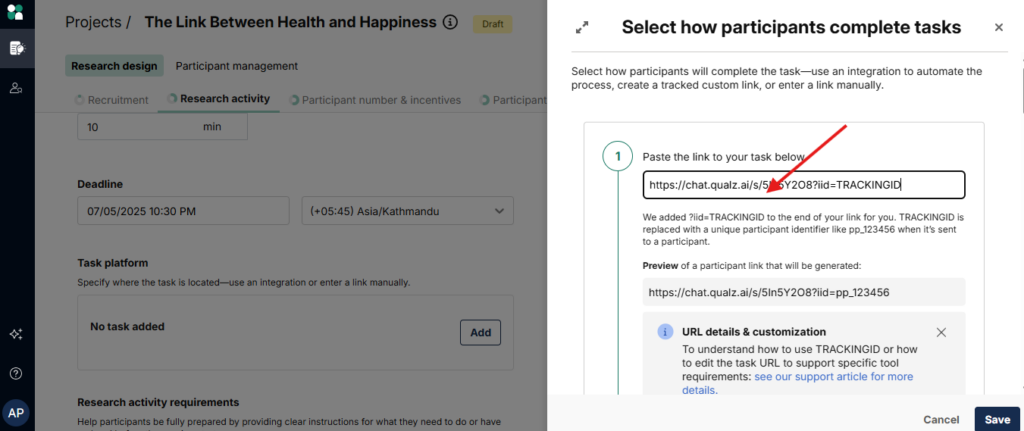
Note: UserInterviews will automatically append iid=TRACKINGID to your study URL for participant tracking.
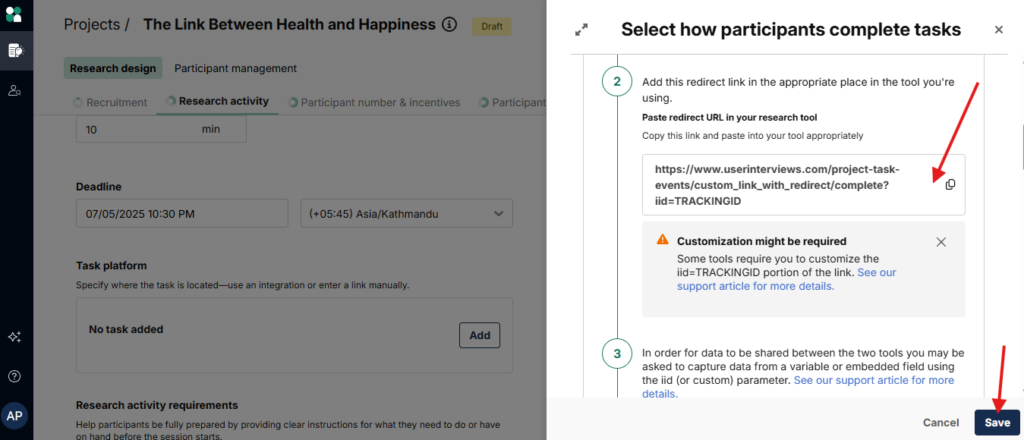
- Copy the redirect URL provided by UserInterviews, then click Save
Step 2: Configure Redirect URL on Qualz.ai
- Go to the Qualz.ai Dashboard
- Edit your study and locate the Redirect URL field
- Paste the UserInterviews redirect URL:
https://www.userinterviews.com/project-task-events/custom_link_with_redirect/complete?iid=TRACKINGID
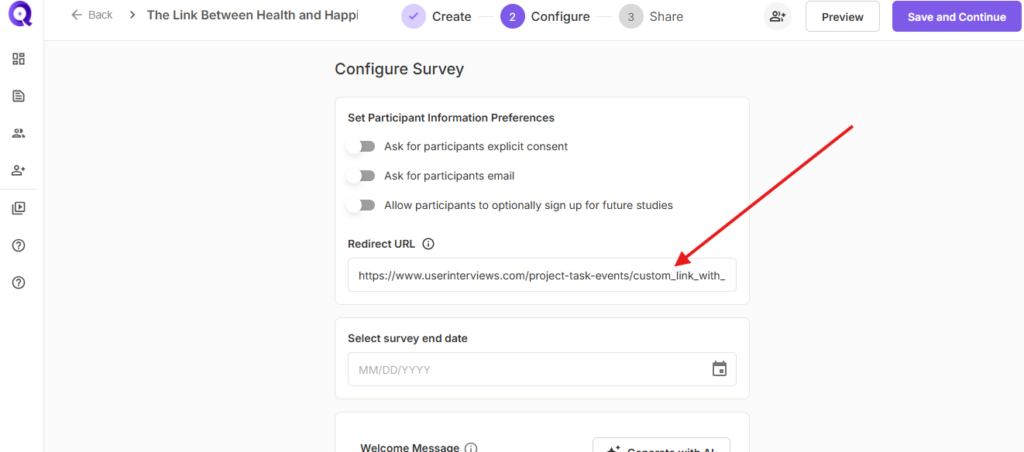
- Click Save and Continue to update the redirect URL
Step 3: Share and Track
Your Qualz.ai study is now integrated with UserInterviews participant tracking. Complete the remaining settings in your UserInterviews project and share the study link with participants.
After a participant completes the study, they will be automatically redirected to UserInterviews, which notifies the platform of successful completion for incentive processing.
Redirection Behavior
Redirection depends on your study configuration:
For Survey Configuration:
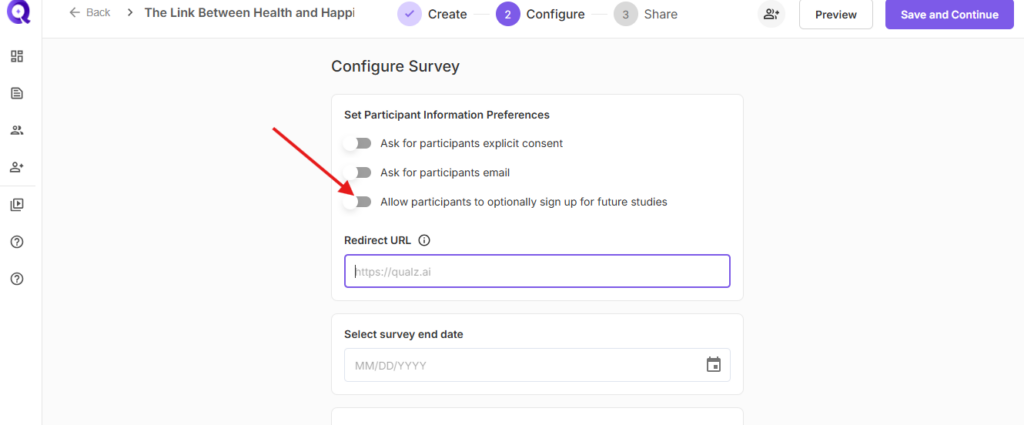
Case 1: Future Studies Sign-up Enabled
If "Allow participants to optionally sign up for future studies" is active, the redirect triggers when the participant clicks Participate in Future Studies.
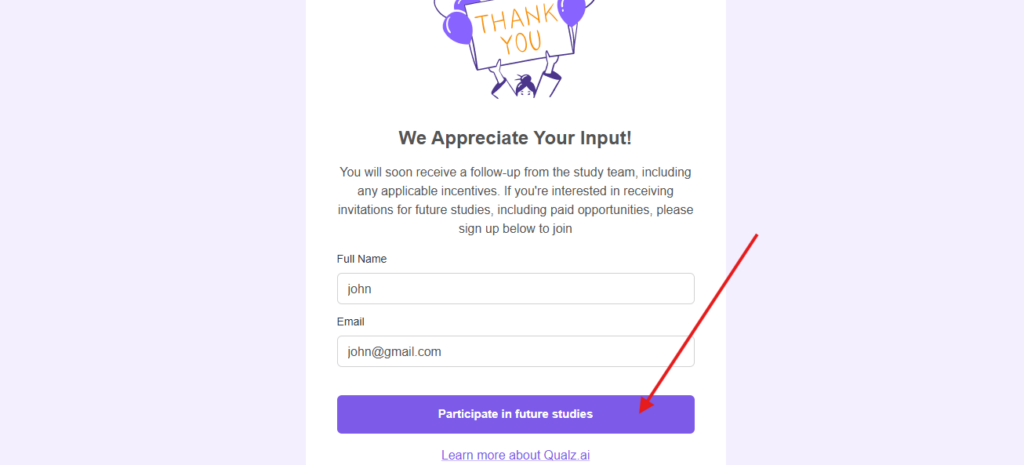
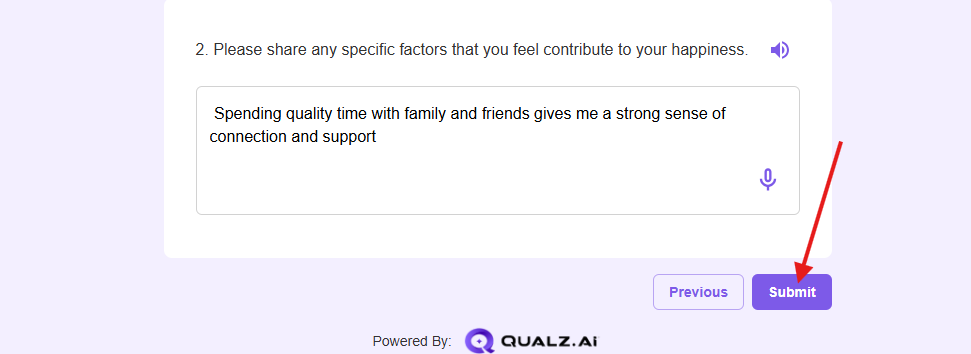
Case 2: Future Studies Sign-up Disabled
If the option is inactive, the redirect triggers when the participant clicks Submit.
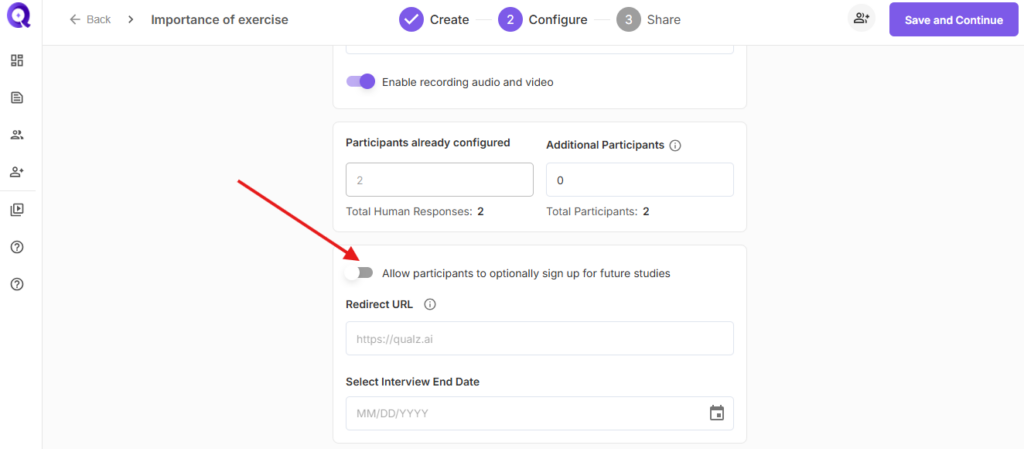
For Interview Configuration:
Need Recruitment Help?
If you need assistance sourcing participants beyond UserInterviews, Qualz.ai offers access to global panels with 115M+ participants and AI-generated synthetic respondents for testing.
Schedule a Demo to learn about our recruitment solutions.