The Blank Page Is Where Research Goes to Die
Every researcher knows the feeling. Someone on the leadership team says "we need to understand why enterprise customers churn in the first 90 days." The room nods. The meeting ends. And then you sit down to design the study.
That is where it stalls.
Which method? Survey first, then interviews? Or interviews first to generate hypotheses for a quantitative follow-up? What is the screener? How many participants? What questions actually get at churn drivers without leading respondents toward the answers you already suspect? Should you include a competitive comparison section or keep it focused on the product experience?
The gap between "we need to understand X" and a fieldwork-ready study design is where most research projects lose days or weeks. Not because the researcher lacks skill, but because research design is a combinatorial problem with dozens of interdependent decisions. Method choice constrains question design. Audience definition constrains recruitment. Timeline constrains sample size. And every decision interacts with every other decision in ways that are hard to hold in your head simultaneously.
I have watched senior researchers spend three days on a study brief that, once written, took two hours to field. The design phase is disproportionately expensive relative to its output — and it is the phase where most non-researchers give up entirely.
Why Traditional Research Design Tools Make This Worse
The standard approach to research design involves templates. Brief templates, discussion guide templates, survey templates. Every research ops team has a shared drive full of them.
Templates are better than nothing, but they solve the wrong problem. They give you structure without judgment. A survey template tells you to write a screener, but it does not tell you whether a survey is even the right method for your question. A discussion guide template gives you sections to fill in, but it does not flag that your third probe is leading or that your warm-up section is twice as long as it needs to be.
The real bottleneck in research design is not formatting — it is the series of methodological judgment calls that connect a fuzzy business question to a rigorous study design. Those calls require experience, knowledge of method tradeoffs, and awareness of common pitfalls. They are exactly the kind of reasoning that gets stuck in the heads of senior researchers and never makes it into the template.
Building the Brief as You Talk
This is the problem we built the Research Guide to solve. Not by replacing the researcher's judgment, but by making the design conversation itself productive from the first sentence.
Here is what the workflow actually looks like. You open Research Guide — tucked away as a small widget, expanded as a side panel, or in full-screen mode depending on how you work — and describe your problem in plain language. No forms. No dropdown menus. No "select your methodology" step that presupposes you already know the answer.
"We are losing enterprise customers in the first 90 days and leadership wants to understand why. We think it is an onboarding problem but we are not sure. Budget for about 15 participants, need results in three weeks."
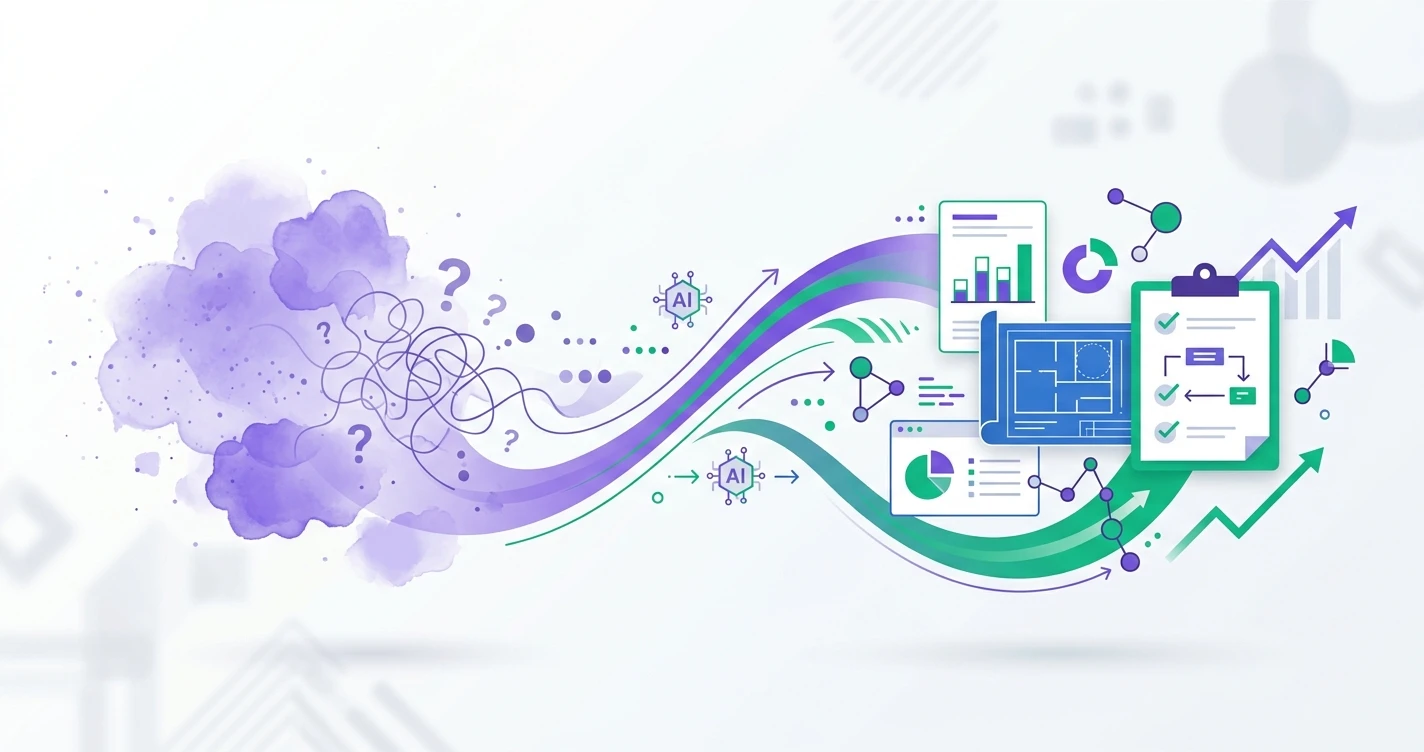
From that single paragraph, Research Guide starts building a living brief. Not a static document, but a structured representation of the research problem that updates as the conversation continues. It identifies your decision statement, research goal, target audience, and constraints. It surfaces what is specified and what is still ambiguous.
And critically, it does not jump to proposing a study design. If your brief is underspecified — and it almost always is after the first message — it asks focused follow-up questions instead of guessing.
"You mentioned enterprise customers. Are you scoping this to a specific contract size or industry vertical? And when you say onboarding, do you mean the technical implementation phase or the first-use experience after the product is configured?"
These are the questions a senior research consultant would ask in the first ten minutes of a scoping call. The difference is that Research Guide asks them at 11 PM on a Sunday when you are trying to get ahead of Monday's planning meeting.
Method Recommendation With Receipts
Once the brief reaches sufficient clarity, Research Guide recommends a methodology — and shows its reasoning with citations from your team's research wiki and Qualz platform documentation.
This matters more than it sounds. When a tool recommends "do interviews," the natural response is "why not a survey?" Research Guide does not just state a recommendation. It links to the specific wiki entries and methodology references that support the choice, so you can evaluate the reasoning yourself.
For the enterprise churn example, it might recommend starting with semi-structured interviews because the problem space is exploratory and the sample is small enough that depth outweighs breadth. It would note that a follow-up survey could validate interview themes quantitatively if leadership wants numbers. And it would flag that with a three-week timeline and 15 participants, you are looking at 8-10 interviews followed by a short confirmatory survey — not a 45-minute survey trying to do both jobs at once.
Every recommendation is grounded. Every reasoning step is traceable. You are not trusting a black box — you are evaluating an argument.
From Brief to Draft in One Approval Step
Here is where the blank-page problem actually gets solved. Once you and Research Guide have aligned on method, audience, and scope, it proposes a draft study design. The key word is "proposes." Nothing gets written until you explicitly approve it.
The draft varies by method. For a survey, you get a complete instrument: screener, question blocks with specific question types (single-select, open-end, matrix), flow logic, and bias-free wording guidance. For an interview, you get a discussion guide with mode recommendation, prompts organized by research objective, follow-up probes, and estimated duration. For AI-participant studies, it frames the plan explicitly as simulation — useful for stress-testing instruments or exploring edge cases, never positioned as a replacement for real respondent data.
Every draft is checked against a quality rubric before it reaches you. Method fit, question quality, bias coverage, logical flow. Research Guide does not just generate text — it evaluates what it generates against the standards a methods reviewer would apply.
And the interaction model is simple: Confirm, Revise, or Reject. You can approve the draft, request specific changes ("make the screener stricter" or "add a section on competitive alternatives"), or reject the approach entirely and redirect the conversation. The tool never assumes approval. It waits for your call.
The Compounding Value of Persistent Context
One of the things that makes research design expensive is context loss. You scope a study on Monday, get pulled into something else, come back Thursday, and spend 30 minutes re-reading your own notes trying to remember where you left off.
Research Guide conversations are persistent. Come back a week later and the full context is loaded — the brief, the methodology discussion, the draft, your revision requests. No re-reading, no re-explaining, no starting over.
This sounds like a convenience feature but it changes the economics of research design. Instead of needing a dedicated two-hour block to get from question to draft, you can work in fifteen-minute increments across a week. The tool holds the state you would otherwise have to hold in your head or reconstruct from scattered notes.
Seeding the Next Study From What You Just Learned
Research is iterative, but research tools are not. You finish an interview study, write up findings, and then start from scratch when someone asks the obvious follow-up question.
Research Guide tracks what you have learned and uses it to seed the next study design. Finished an exploratory interview series and identified three key churn drivers? It can propose a confirmatory survey scoped to those specific themes, with question wording derived from participant language in the interview transcripts. Ran a survey and found a surprising cluster of responses around a feature you did not expect? It can propose a focused interview deep-dive targeting that segment.
The output of transcript analysis and AI-powered analysis feeds directly into the next design cycle. Research stops being a series of disconnected projects and starts being a cumulative body of knowledge where each study informs the next.
Who This Is Actually For
If you are a senior researcher at a large firm with a methods team and a two-week scoping process, Research Guide accelerates what you already know how to do. You will move faster and catch blind spots, but the fundamental workflow is familiar.
The bigger unlock is for everyone else.
Product managers who know they need qualitative data but cannot justify spending a week learning research methodology to design a single study. Founders who have been relying on gut instinct because the alternative is a six-week agency engagement. Solo researchers who are methodologically fluent but time-constrained and tired of spending more hours on the brief than on the fieldwork.
Research agencies get something different: faster brief-to-fieldwork turnaround. When a client comes in with a vague problem statement, the scoping conversation that used to take two meetings and a week of email ping-pong can happen in a single working session with Research Guide structuring the discussion in real time.
And if at any point the conversation exceeds what AI should handle — ethical review, sensitive populations, regulatory constraints — there is a "talk to a researcher" escape hatch that connects you to human expertise. The tool knows its limits.
The Actual Cost of Blank-Page Paralysis
Here is what organizations rarely quantify: the research that never happens because the design phase was too intimidating. Every quarter, product teams make decisions based on assumptions that could have been tested with a 10-question survey or five customer interviews — if someone had designed the study.
The blank page is not just a productivity problem. It is an insight gap. Every day a study sits in the "need to scope this" backlog is a day the organization operates on intuition where it could operate on evidence.
The goal is not to automate research design. It is to make the gap between "we should study this" and "here is the draft, let us review it" small enough that the study actually happens. One conversation. One brief built as you talk. One draft proposed when the brief is sharp enough. No forms, no templates, no blank pages.
Book a session to see Research Guide in action — bring a real research question and walk out with a drafted study design.