Turn Any Transcript
Into Insights
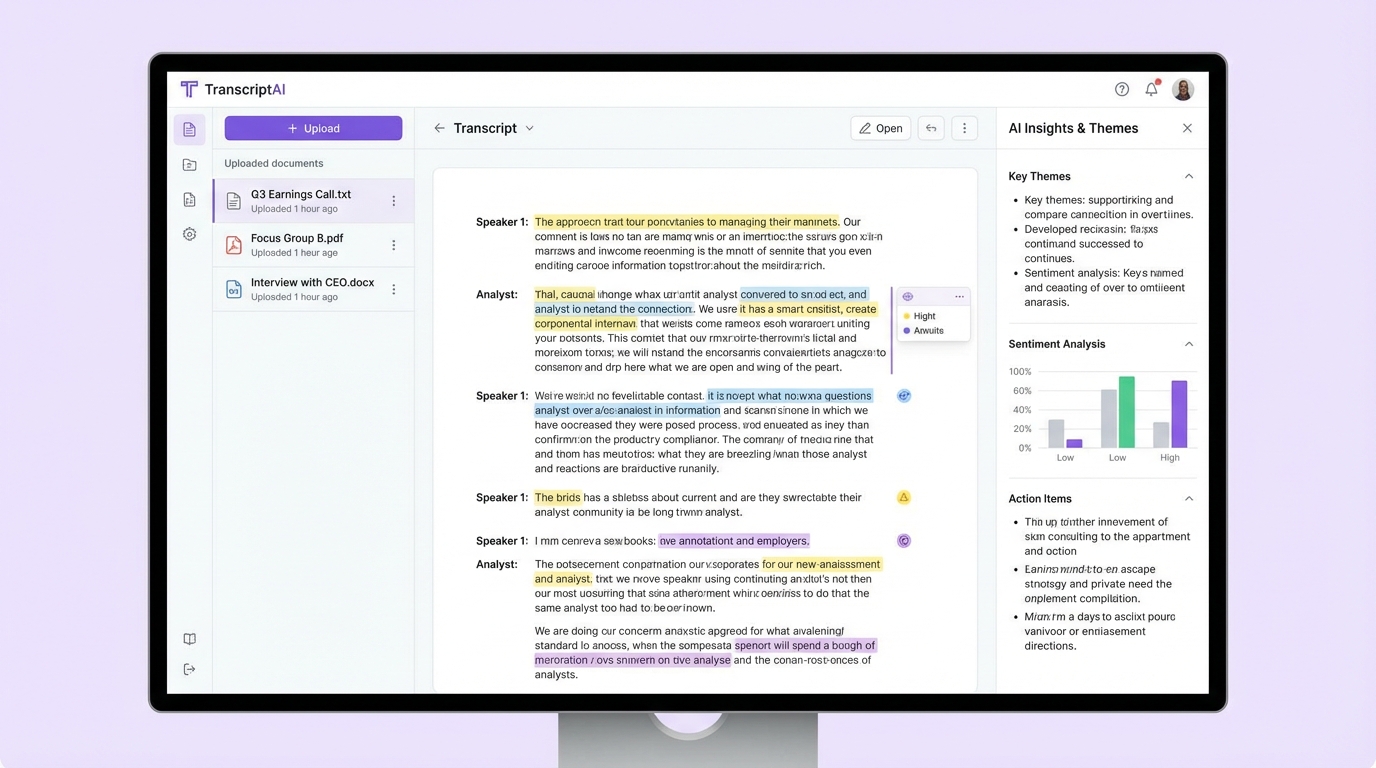
Upload existing transcripts, audio, or video files. Our AI transcribes, identifies speakers, and applies 14 analysis frameworks—transforming raw conversations into actionable research findings.
Why Upload to Qualz?
You've done the hard work of conducting research. Now let AI do the heavy lifting of transcription and analysis.
Analyze Existing Research
Have hours of interview recordings or text transcripts? Upload them all and let AI extract insights in minutes, not weeks.
14 Analysis Lenses
Apply multiple analytical frameworks—from thematic analysis to Jobs-to-Be-Done—to any transcript automatically.
Speaker Intelligence
Automatic speaker identification, diarization, and role assignment. Know who said what without manual tagging.
Deep Search & Discovery
Search across all transcripts instantly. Find patterns, quotes, and insights that would take hours to surface manually.
Upload Any Format
We accept text transcripts, audio recordings, and video files.
Text Files
Upload existing transcripts in common text formats
Audio Files
Upload recordings up to 500MB for transcription
Video Files
Upload video recordings up to 2GB for transcription
How It Works
From raw files to research insights in four simple steps.
Upload Your Files
Drag and drop transcripts, audio, or video files. Batch upload multiple files at once for efficient processing.
Configure Processing
Select language, enable speaker diarization, choose transcription quality, and set custom vocabulary if needed.
AI Transcription
Our engine transcribes audio/video with automatic punctuation, speaker labels, and word-level timestamps.
Analyze & Extract
Run any of our 14 analysis lenses to automatically extract themes, insights, and actionable findings.
Advanced Transcription Features
Enterprise-grade transcription with all the features researchers need.
Audio Intelligence
Speaker Diarization
Identify who spoke when
Multichannel Support
Process stereo/multi-track audio
Noise Reduction
Filter background noise
Voice Activity Detection
Skip silence automatically
Text Enhancement
Auto Punctuation
Proper sentence structure
Smart Casing
Correct capitalization
Filler Word Detection
Identify um, uh, like
Custom Vocabulary
Improve domain-specific accuracy
Output Formats
Word Timestamps
Precise timing for each word
Speaker Labels
Tagged conversation turns
SRT/VTT Captions
Subtitle file export
Paragraph Segmentation
Natural text blocks
Language Support
50+ Languages
Global language coverage
Auto Detection
Identify language automatically
Code Switching
Handle mixed languages
Translation
Translate to English
Batch Upload Made Easy
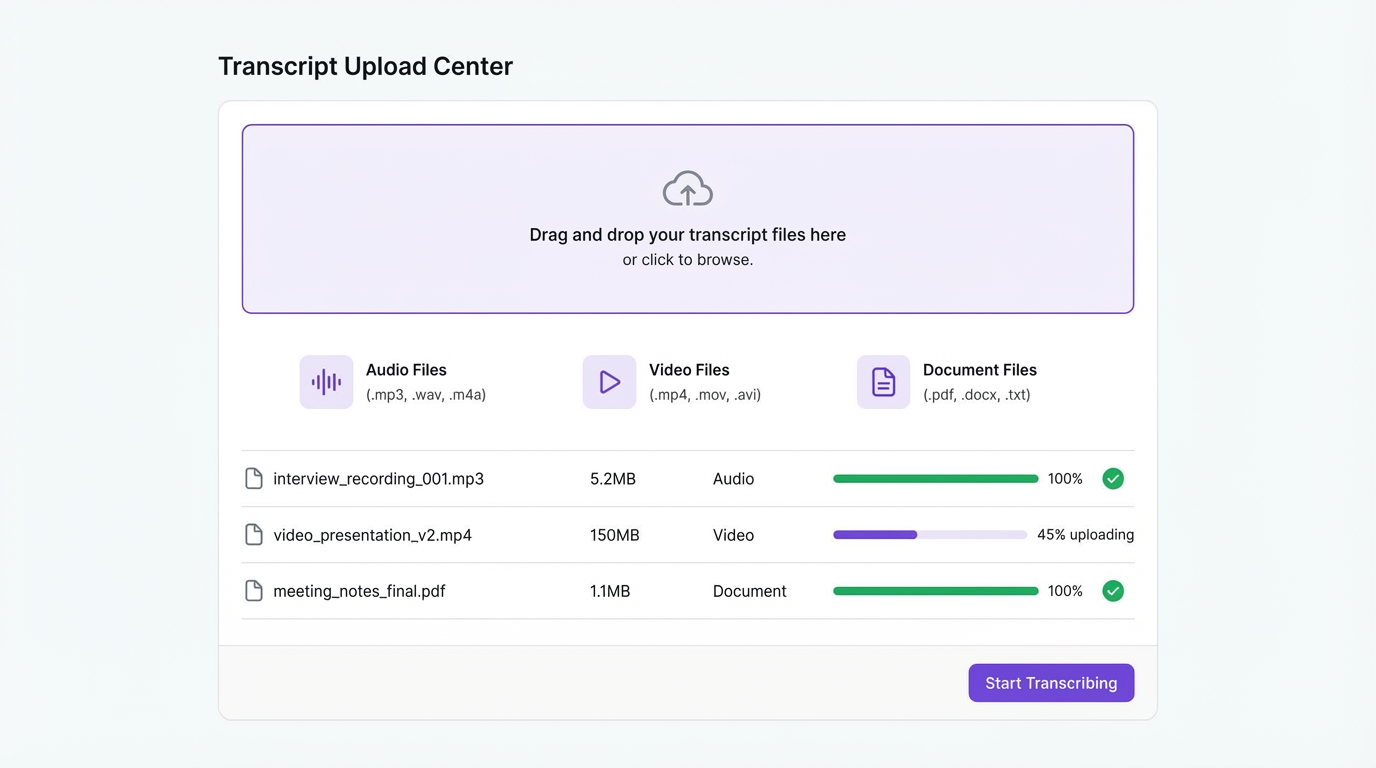
Upload dozens of files at once with our drag-and-drop interface. Track progress, configure settings, and start analysis—all from one screen.
Drag & Drop
Simply drag files onto the upload zone or click to browse
Batch Processing
Upload multiple files simultaneously with parallel processing
Progress Tracking
Real-time progress bars for each file during upload and transcription
Credit Estimation
See estimated credit usage before processing begins
14 Ways to Analyze Your Data
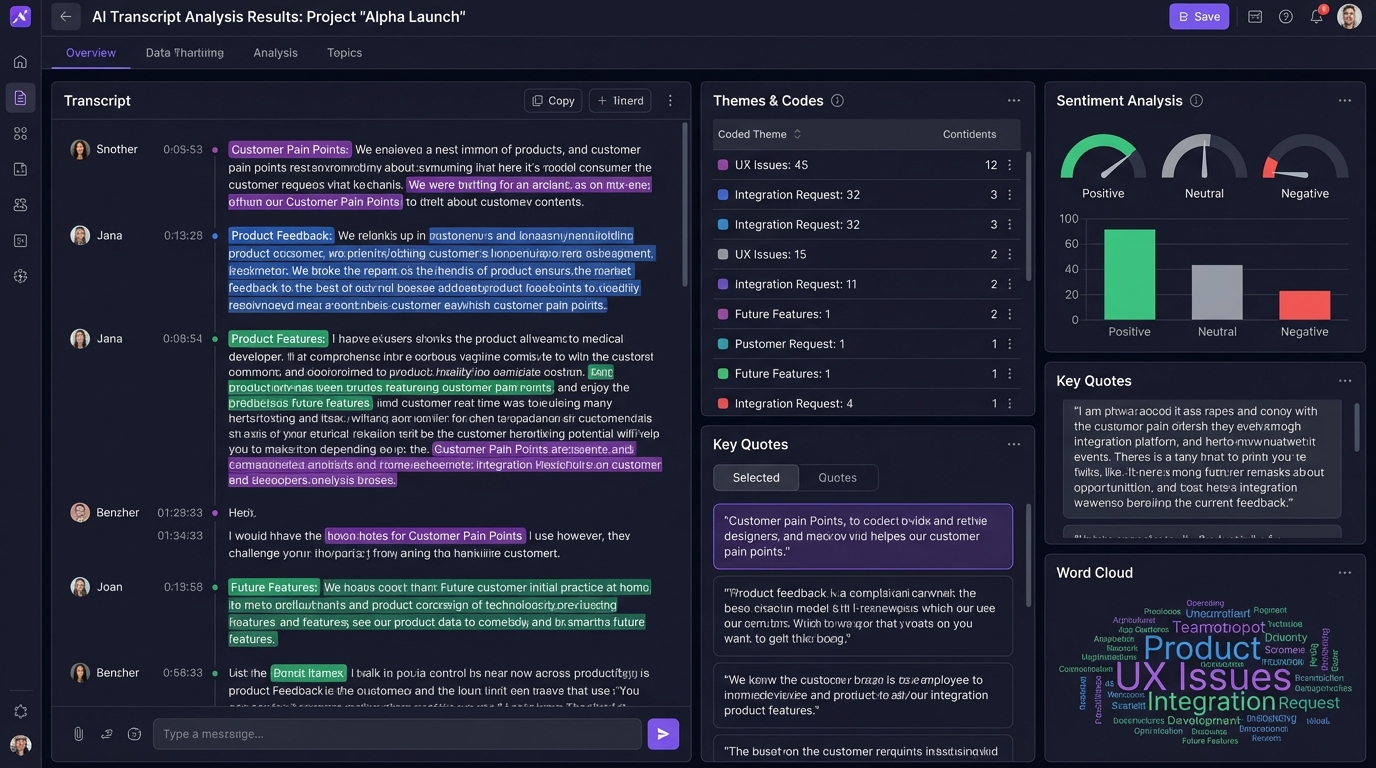
Once your transcripts are ready, apply any of our research-grade analysis lenses to extract structured insights automatically.
Thematic Analysis
Extract themes and patterns
Jobs-to-Be-Done
Identify customer jobs
Empathy Mapping
Think, feel, say, do
Sentiment Analysis
Emotion and tone detection
Customer Journey
Pain points and moments
Persona Generation
Data-driven personas
Powerful Transcript Management
Beyond transcription and analysis—tools for organizing, searching, and extracting value from your research.
Tagging System
Create study-level tags and apply them to transcripts, speakers, or specific quotes for organized analysis.
Quote Extraction
AI automatically identifies and highlights key quotes. One-click copy with proper attribution.
Full-Text Search
Search across all transcripts in your study. Find specific terms, phrases, or concepts instantly.
Smart Filtering
Filter transcripts by speaker, tag, date, completion status, or analysis state.
Code Management
View, edit, and manage open codes generated during thematic analysis. Build your codebook collaboratively.
Export Options
Export transcripts, analysis results, and demographic data in multiple formats for reporting.
Want Live Transcription Instead?
If you're conducting new interviews, our real-time transcription captures words as they're spoken—no upload required.
Learn About Real-TimeReady to Analyze Your Transcripts?
Upload your existing transcripts, audio, or video files. Let AI handle transcription and analysis while you focus on insights.